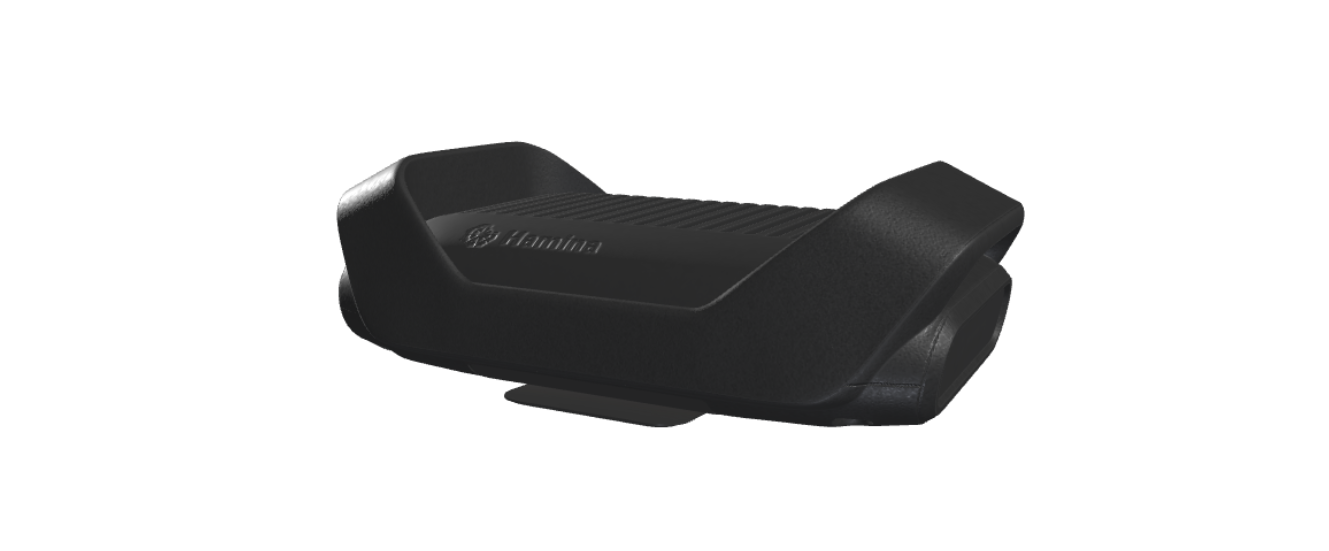
I do a lot of Wi-Fi site surveys in my role at Invise, so when I heard about Hamina’s new Clip, I was very curious.
My good friend Chris Denham was fortunate enough to receive a prototype unit to test and was able to give me a demo.
I’ve been using Hamina for Wi-Fi site surveys for over a year now. You can currently collect data for a survey with either the Oscium Nomad, a WLAN Pi, or a MacBook. I’ve always used the Nomad because it gives you the best scanning performance, and it recently has added the ability to perform spectrum analysis, which is awesome for troubleshooting.
The Hamina Clip isn’t designed to replace the Oscium, but rather complement it. It’s a smaller, more portable alternative.
Just how much smaller, you ask? Well, here’s a picture of the Clip next to an Oscium Nomad and my iPhone 17 Pro.
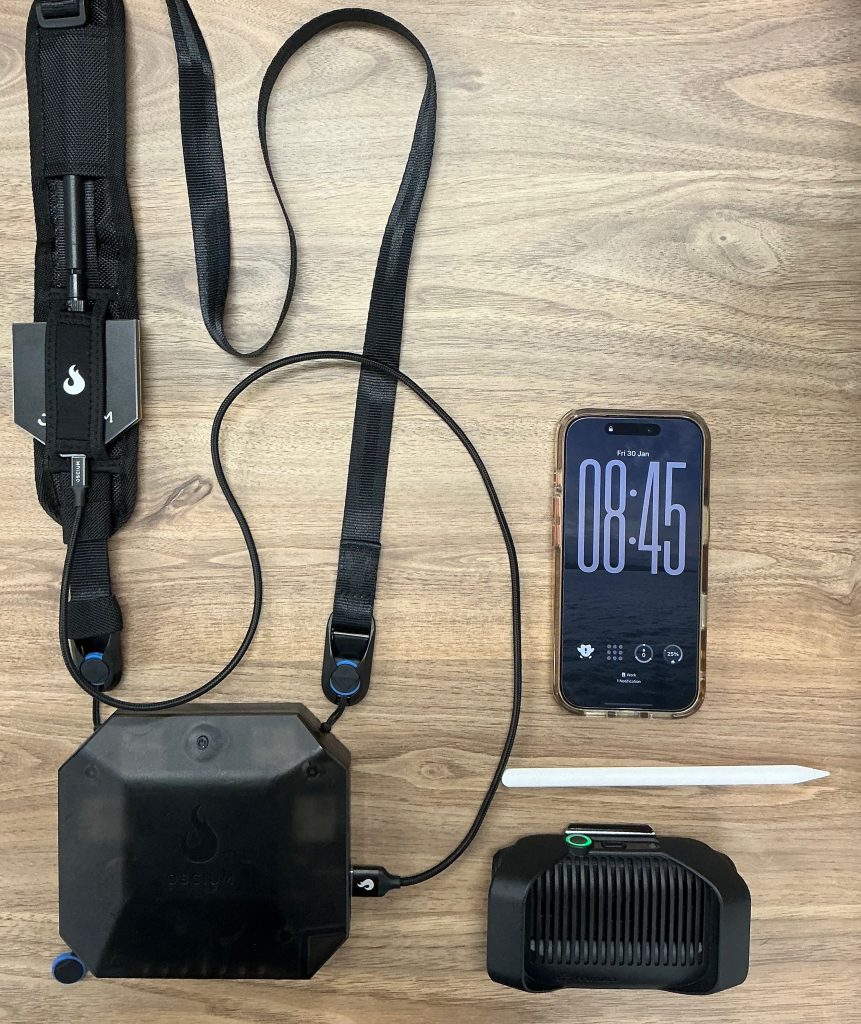
The small size means it takes up less space in your backpack, which is a great thing, especially when you’ve got a bit of a commute for your site survey. It also means you can just keep it in your backpack for those random troubleshooting scenarios. You can even fit it in your pocket!
It’s able to be smaller because it’s got only two radios, rather than the four in the Nomad. The team at Hamina say they have optimised the scanning algorithm, so the performance should be very similar (if not identical) to the Nomad.
The most impressive thing for me is the lack of cables! The number of times that I’ve snagged the USB-C cable when walking into a tight space and then had to reconnect and wait for the Nomad to repair to my iPad, this is not a problem anymore.
As you can see from the photos below, I took it for a spin in the Invise office.
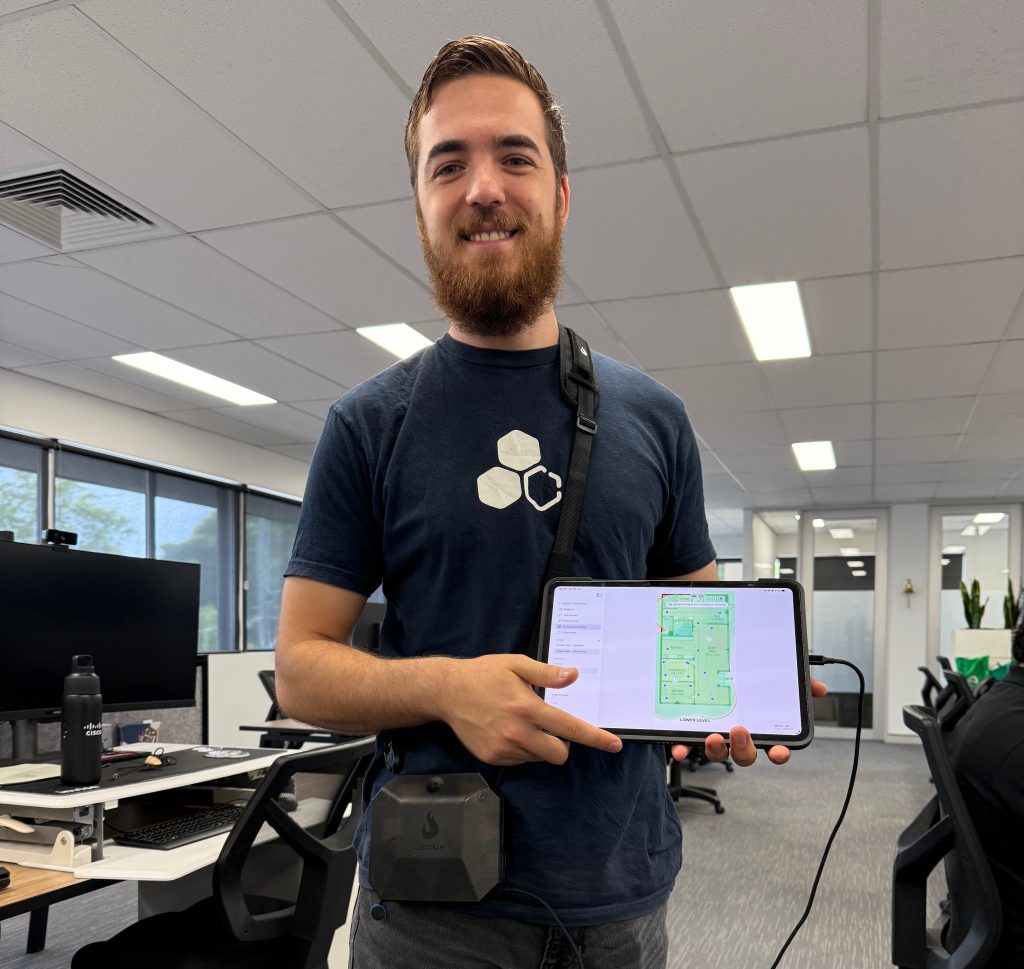
When surveying with the Nomad, you strap it over your shoulder, like this:
The Clip can be attached to your belt or even in your pocket (because there are no cables!), like this:
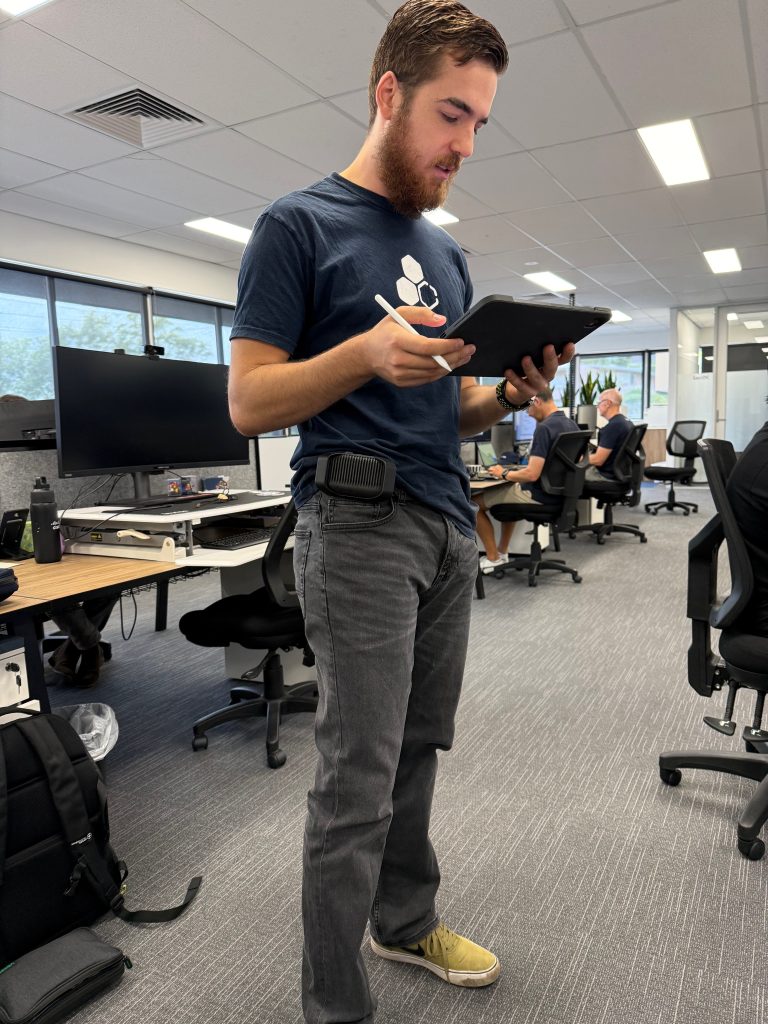
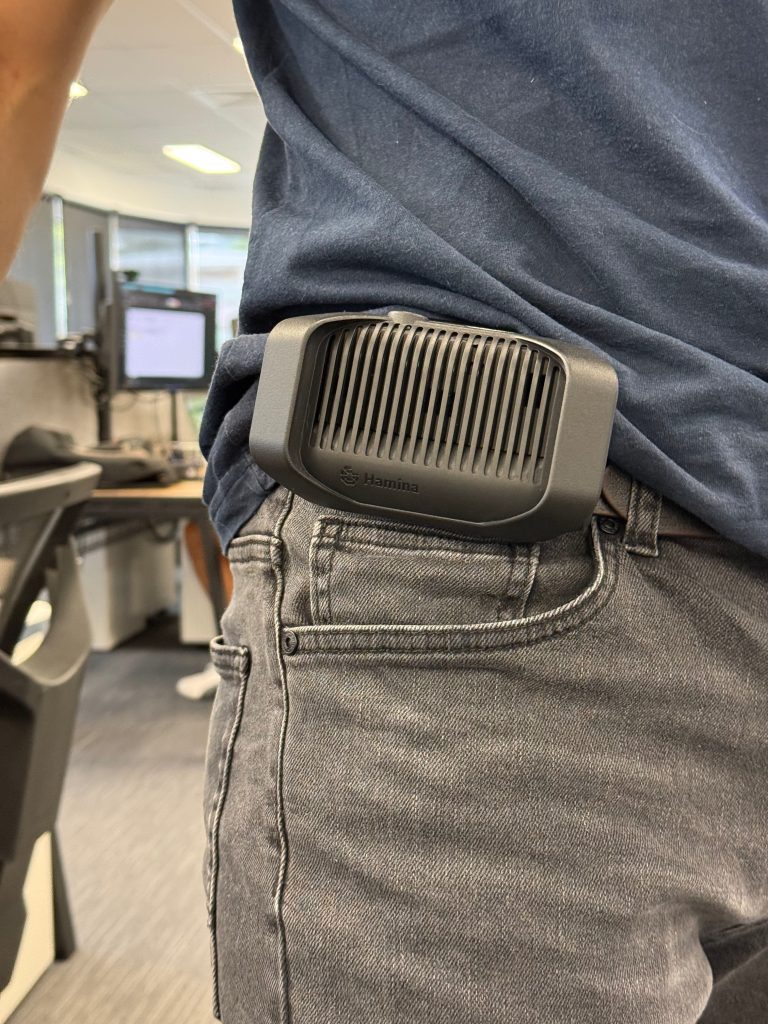
Surveying with the Clip is much more comfortable due to the lack of cables/shoulder strap and its small size. I’ve got many wireless surveys in the pipeline for 2026, so I’m looking forward to grabbing one when they go GA in a few months.
It’s an exciting time seeing Hamina venture into hardware products, as until now they have been purely a software company. I’m keen to see what comes next.
If you want to learn more about the Hamina Clip, check out the Webinar Recording here: https://www.youtube.com/watch?v=I0xXDEGMD14
You can also check out the webpage dedicated to the Clip, it includes a really helpful table comparing the Tech Specs of the Nomad to the Clip: https://www.hamina.com/clip
Special thanks to Chris Denham for giving me a demo of the Clip and allowing me to have a play! Check out his blog at https://blog.crispyfi.com/ 🙂
What are your thoughts around Hamina’s latest product?
Leave a Reply